Link Repeater Element
The Link Repeater Element is used to display a set of links which the user can click. The links can either be displayed stacked one above the other, or Inline (side-by-side), as illustrated below:
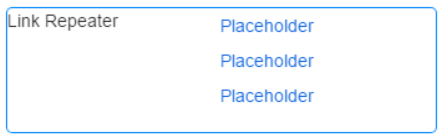


Once you have placed a Link Repeater Element on a page, you can edit the Element's properties to configure the Element for your requirements. Select the Element on the page to display its properties in the Properties Pane.
The following properties are available:
Element Version
The Element's version number, which may be (and is often) different to the installed version of the Digitise Forms software. For example, the version of the Element might be 1.5, but the version of the in-use/installed Digitise Forms software might be 2.0 etc.
Label
Allows you to change the text displayed in the label for this Element. You can change the default label to provide a more meaningful description or option for your users.

Visible and Disabled Properties
Display Inline
Lets you choose whether the links will be displayed stacked one above the another, or Inline (side-by-side). To display the links stacked one above the other, leave this option unchecked. To display the links Inline, check this option.
Show Label
Lets you show or hide the Element label. To hide the label, leave this option unchecked.

List Items
Allows you to specify the link items to be displayed within the list.
For full details, refer to the

Sorting Category
Sort Order
Allows you to specify the order in which the displayed links will be sorted. The options available are: None, Ascending, and Descending.
Sort By
Allows you to specify the field used to sort the displayed links. The options available are: Label, and Value.
Styles Category
Label, and Link Style
Allow you to assign styles to the various Link Repeater components.