Video Element
The Video Element is used to add a video to your form (using a URL or a saved video file), which can be played at form runtime:
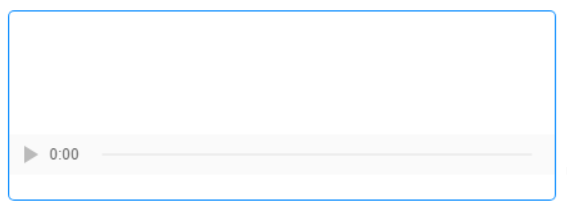

Once you have placed a Video Element on a page, you can edit the Element's properties to configure the Element for your requirements. Select the Element on the page to display its properties in the Properties Pane.
The following properties are available:
Element Version
The Element's version number, which may be (and is often) different to the installed version of the Digitise Forms software. For example, the version of the Element might be 1.5, but the version of the in-use/installed Digitise Forms software might be 2.0 etc.

Visible and Disabled Properties
Height
Allows you to specify the height of the Video Element, which must be a pixel value, and must include the px abbreviation after the value, e.g., 200px.
Width
Allows you to specify the width of the Video Element. By default, the width is set to 100%, but this can be altered to either a lower percentage, or to a size in pixels. In either case, the width specified must be followed by % or px.
Video Type
Lets you specify the video format. The format must be preceded by video/, e.g., video/mp4. Click here for more information on the permissible video file types, and the syntax for the video's underlying HTML.

URL
Lets you to specify the URL of the video file that you wish to use.
Video
Lets you browse for a saved video file, to be used in place of a video accessed via a URL.
Captions
Lets you browse for a captions file (.vtt format), to display captions over the video during playback.
Use URL Source
Where both a URL and a saved video have been specified in the above two properties, selecting this option will force the video accessed via the specified URL to be used. Where the option is left unchecked, the saved video will be used instead.

Accessibility Category
Alternative Text
Lets you add alternative text that will be displayed in the event that the specified video file is unavailable, or will be used by accessibility software.
Styles Category
Video
Allows you to assign a style to the Video Element.